
Quick summary
If your AI scribe output still takes too long to edit, the bottleneck is usually the template.
A strong visit-type template:
- keeps drafts predictable (faster review)
- prompts must-capture details (less rework)
- helps close notes same day (less after-hours charting)
Dorascribe supports two practical paths:
- modify a default template (Use Base Template)
- upload your own clinic template (Create Custom)

Why templates save more time than “better transcription”
Clinicians don’t lose time because they can’t type. They lose time because notes must be complete, consistent, and defensible.
Generic AI notes slow you down because they don’t match your structure. A good template fixes this by making the draft look like your note from the start.
What is a visit-type template?
A visit-type template is a lean structure designed for one scenario, such as:
- new patient consult
- follow-up
- chronic care
- procedure visit
- telehealth follow-up
Practical rule: start with the 2–3 visit types that dominate your week.
How to create custom templates in Dorascribe
Dorascribe is designed for clinician-controlled documentation: draft → edit → sign. Templates make the draft match your clinic.
Step 1: Open Custom notes
- Log in at app.dorascribe.ai.
- Go to Custom notes.
- Click +Custom template.
Step 2: Choose how you want to build the template
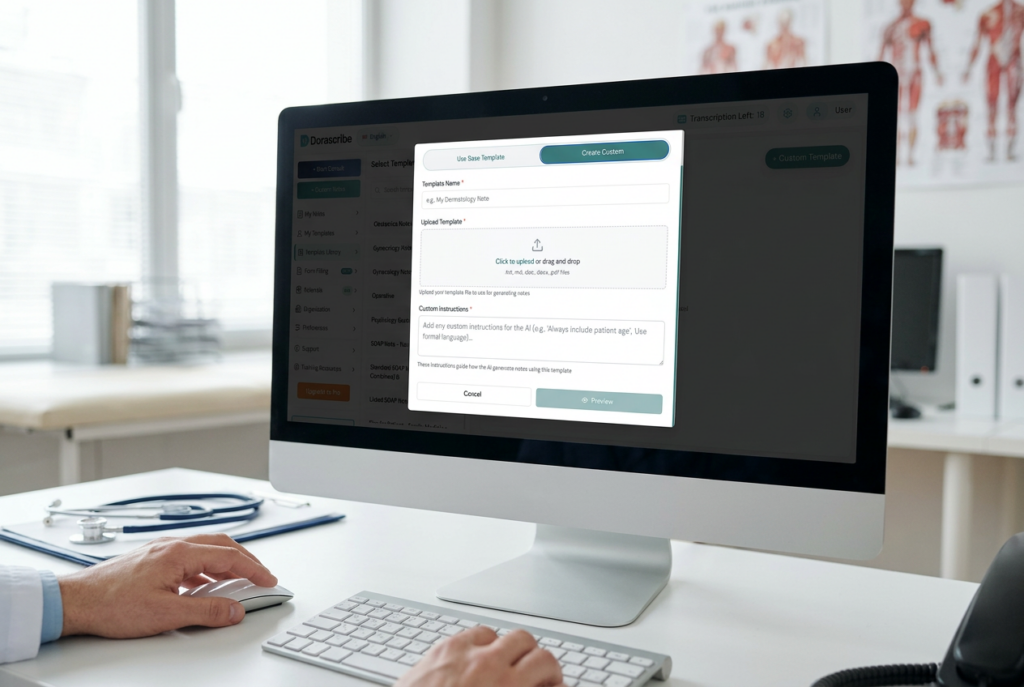
Option A: Use Base Template (modify a default)
Best when you want a fast setup and a strong starting structure.
- Select Use Base Template.
- Choose a template.
- Add custom instructions telling the AI how to update it (headings, required sections, visit-type prompts, preferred phrasing).
- Create and save.
Option B: Create Custom (import your own template)
Best when you already have a clinic-approved template.
- Select Create Custom.
- Upload your file.
- Optionally add custom instructions (keep your wording, add missing sections, tighten follow-up prompts, standardize medication documentation).
- Create and save.
Tutorial (recommended):
Create a Custom Note Template (Import Existing File)
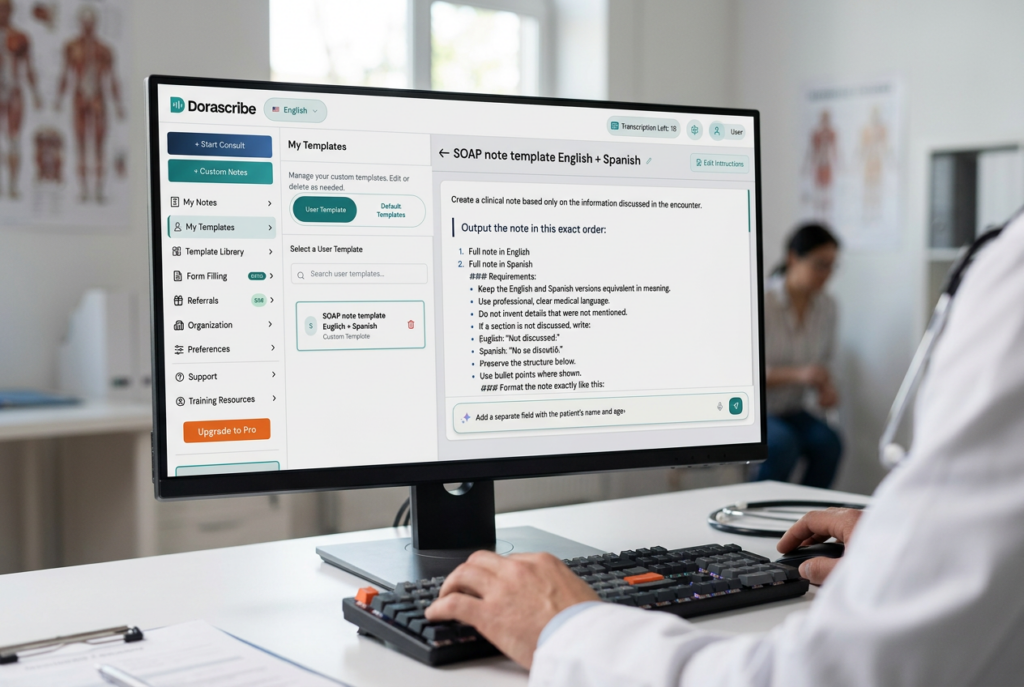
Step 3: Use the template in a new consult
When creating a new consult and entering patient details, select your custom template before generating the draft note.
Step 4: Manage templates later
Go to Custom notes → Template library to customize or delete templates.
What a high-performing template includes
1) Stable headings
Use consistent sections so review becomes faster over time (for example: HPI/Interval History, Objective/Exam, Assessment, Plan, Follow-up).
2) Must-capture prompts
Add prompts only where omissions are common:
- key negatives / red flags (visit-type specific)
- medication changes + rationale
- follow-up interval + instructions
3) A review checkpoint
Make one place in the note where you always verify:
- meds and doses
- key negatives
- plan and follow-up

Template starters (examples clinicians actually use)
Follow-up (high volume)
- what changed since last visit (symptoms + function)
- response/adherence + side effects (if relevant)
- plan changes + follow-up interval
Chronic care
- target measures (BP/A1c/labs where relevant)
- medication reconciliation prompt
- monitoring + follow-up plan
Telehealth follow-up
- speaker context (patient vs caregiver/interpreter)
- what was observed vs reported
- explicit next steps and safety advice
If remote care is a major part of your workload: AI scribes for remote patient care.
Two template mistakes that waste time
- Making templates too long → long drafts take longer to verify. Keep templates lean.
- Changing templates every week → clinicians lose speed when the structure keeps moving. Version monthly, not daily.
Extra wins some clinics standardize
- Multilingual workflows when documentation is truly bilingual in your setting: Multilingual medical transcription AI in 2026
- Draft clinic letters from visit context (referrals, work/school, insurance, medication-related letters) for clinician review/signature
FAQ
Should I use one template for everything? Usually not. Visit-type templates stay shorter and are faster to review.
Is importing better than modifying a default? Import if you already have a clinic-approved template. Modify a base template if you want speed.
Will templates reduce after-hours charting? Often yes—if the draft is created near the visit and your review habit is consistent.
Evidence & sources (selected)
- Physician time and EHR documentation burden (time-motion study): https://pubmed.ncbi.nlm.nih.gov/27595430/
- Primary care workload and after-hours EHR work (event-log analysis): https://www.annfammed.org/content/15/5/419.short